Snippad: Open-Source Code Snippet & Notebook App for Developers
Say goodbye to scattered code snippets and disorganized notes.

Introduction
Snippad is an open-source application designed with simplicity and efficiency in mind. Say goodbye to scattered code and disorganized notes. Snippad provides a centralized hub for all your code snippets, notes, and to-dos - ensuring quick and effortless access whenever you need them. No more wasting time searching through endless files – Snippad brings order to chaos.
Snippad was developed as part of the Appwrite x Hashnode Hackathon.
Video Demo
Links
Website: https://www.snippad.io
Live app: https://cloud.snippad.io
Documentation: https://github.com/shahenalgoo/snippad#snippad-intro
Github repo: https://github.com/shahenalgoo/snippad
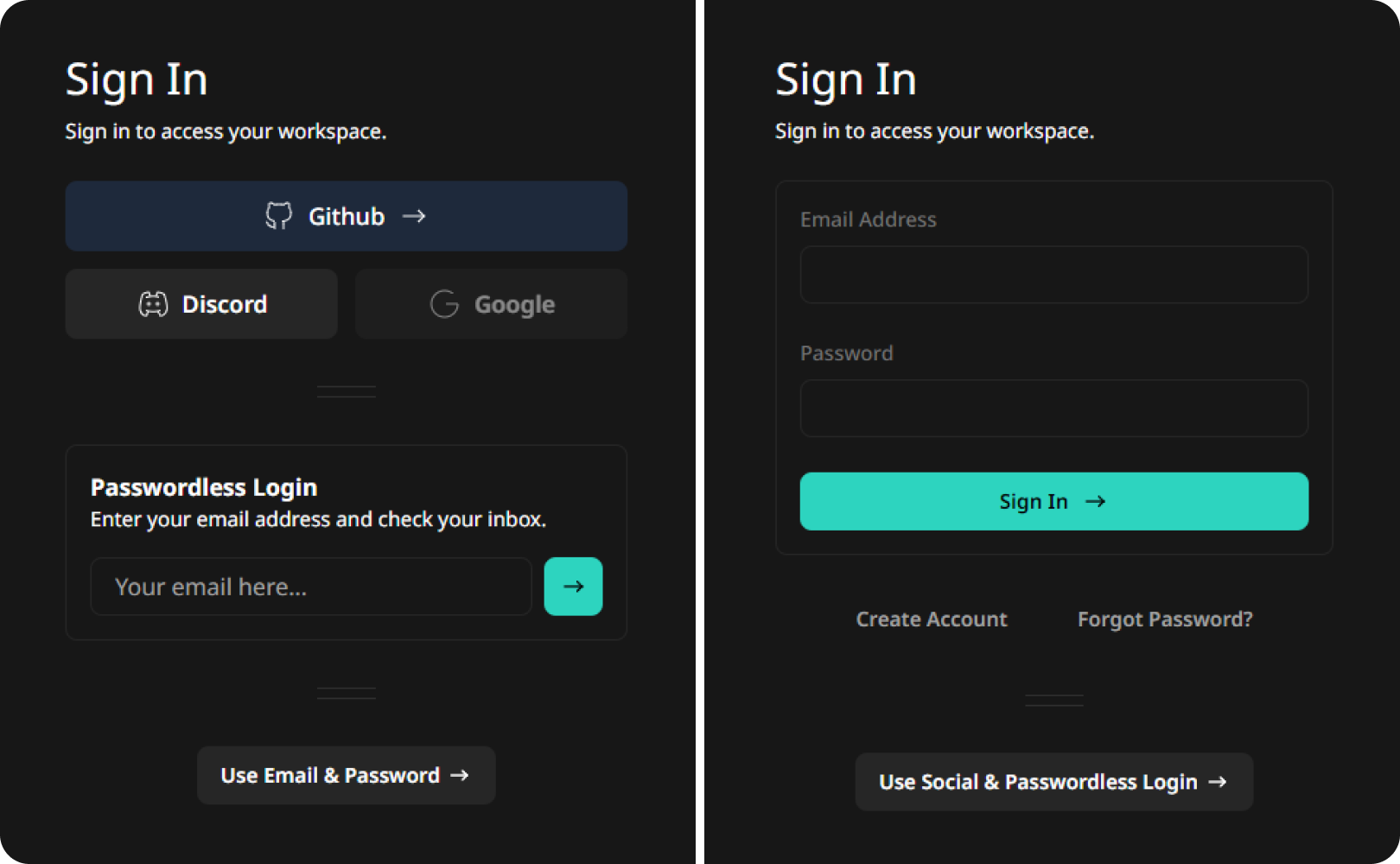
Accessing the app is rather easy, you can use social logins, magic or traditional login.
Team Details
Shahen Algoo - Twitter
Full-Stack Engineer & UX Designer (13 years of experience)
Shahil Algoo
Video Game & Backend Engineer (first time doing web development)
Although it was Shahil's first time working on a web project, he picked up new skills in a matter of hours and equally contributed to the development of the project. He handled the heavy programming aspects and enabled me to focus on what I do best, front-end and user experience design. We wouldn't have been able to finish the project in two weeks without his help.
Inspiration
As creators, we always talk about how we want to create impactful projects. However, there is always some excuse pulling us away from achieving our goals. Thanks to this Hackathon, we took the opportunity to finally roll our sleeves and get to work on something that would benefit all of us in our development journey.
The Problem
Developers often have to dig in their old projects/bookmarks to find the same code to reuse. It always feels like a chore knowing that it is somewhere but cannot be easily found. We sometimes give up the search and lose precious time re-coding the same things over and over again.
I have tried most code snippet tools, as well as note-taking apps but I was never satisfied with the user experience. Many of my developer colleagues feel the same way from what I have gathered over the years.
I knew exactly what I was going to build for this hackathon!
The Solution
A tool that allows developers to save their codes as snippets, with a focus on greatly improving findability and preserving syntax readability. Anytime you need to safeguard a piece of code: save it on Snippad!
In addition, a rich-text editor for regular text-based notes made sense to implement in the application as we always have something to jot down before or during development.
And, how about we throw a little to-do list feature and real-time collaboration in there as a bonus while we are at it? We tried hard to not include EVERY random productivity tool in there 🤓.
Our Approach
With just two weeks before the deadline, we had to be efficient.
Using the agile methodology and Trello as our project management tool, we identified and prioritized the fundamentals by asking ourselves the right questions:
Which problems are we going to solve and how can we build it fast?
What is Snippad going to look and feel like?
What code editor and text editor will integrate best with our tech stack?
What features of Appwrite are we going to use?
During a two-day design and prototype sprint, we played around with Appwrite to gauge its strengths and weaknesses, tested text and code editors, and made design mockups of our ideas. This process helped us figure things out before starting development and made designing and implementing features much easier. Between every few functionality development cycles, the UI/UX and overall aesthetics would be gradually improved.
Tech Stack
React/Next.js (v13+ with app router)
Appwrite
database
authentication
storage
realtime
functions
security
CodeMirror & TipTap Text Editor
Typescript & ESLint
Tailwind CSS, React Icons, CVA, React Hot Toasts
Custom-made, highly reusable UI components and hooks.
GitHub & Vercel
Snippad Features & Appwrite As Its Backbone
Appwrite's great developer experience made it so easy that we did not have to worry about the backend at all. This enabled us to quickly integrate MANY front-end features in a very short time. We made sure to demonstrate the flexibility that Appwrite Database offers in terms of querying for data. We were able to implement a mixture of our different filtering, sorting and searching options and everything worked amazingly.
Here are some cool Snippad features:
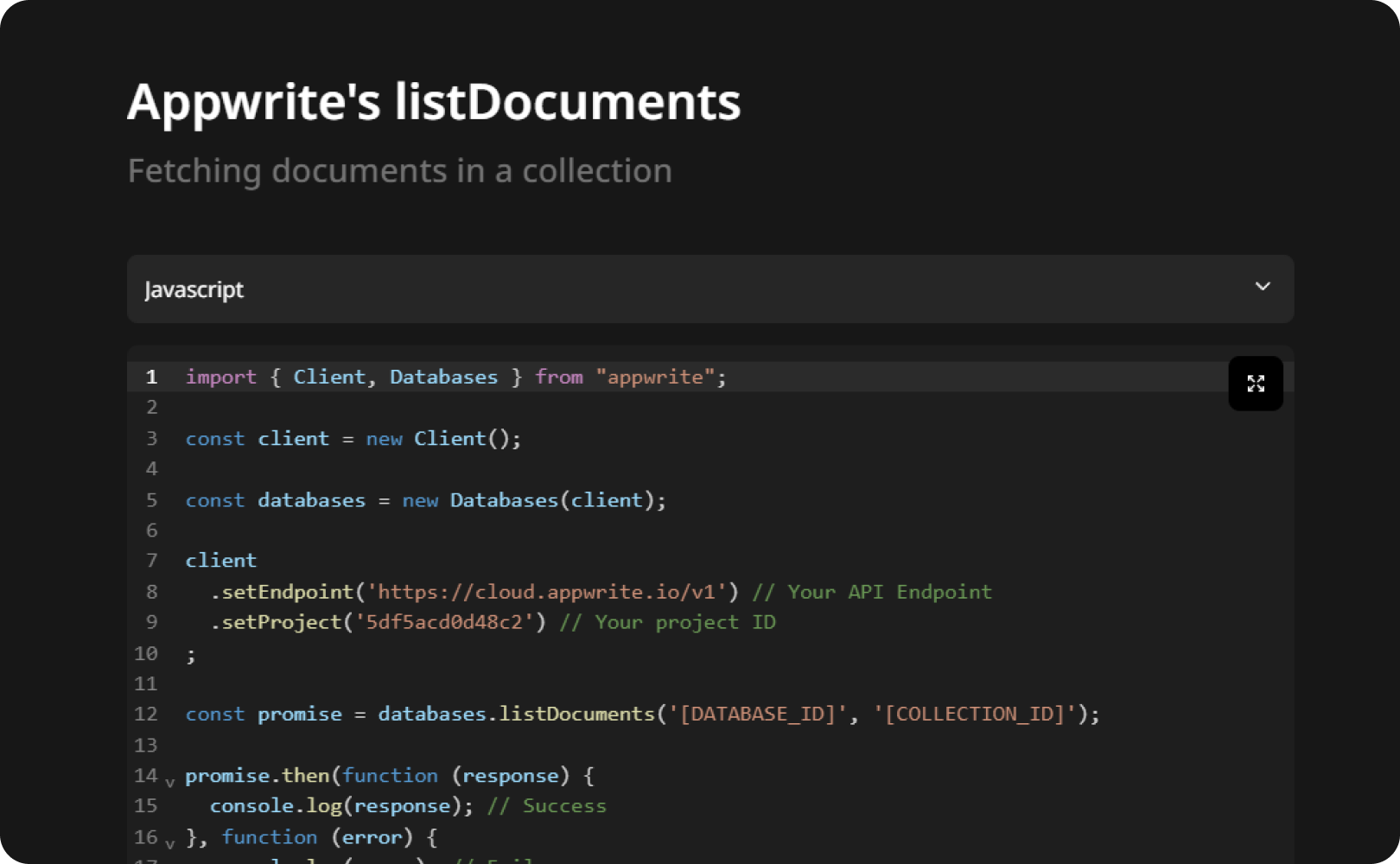
Code Editor
A rich programming interface with support for multiple popular programming languages, indentation, syntax highlighting, and autocomplete.
Text Editor
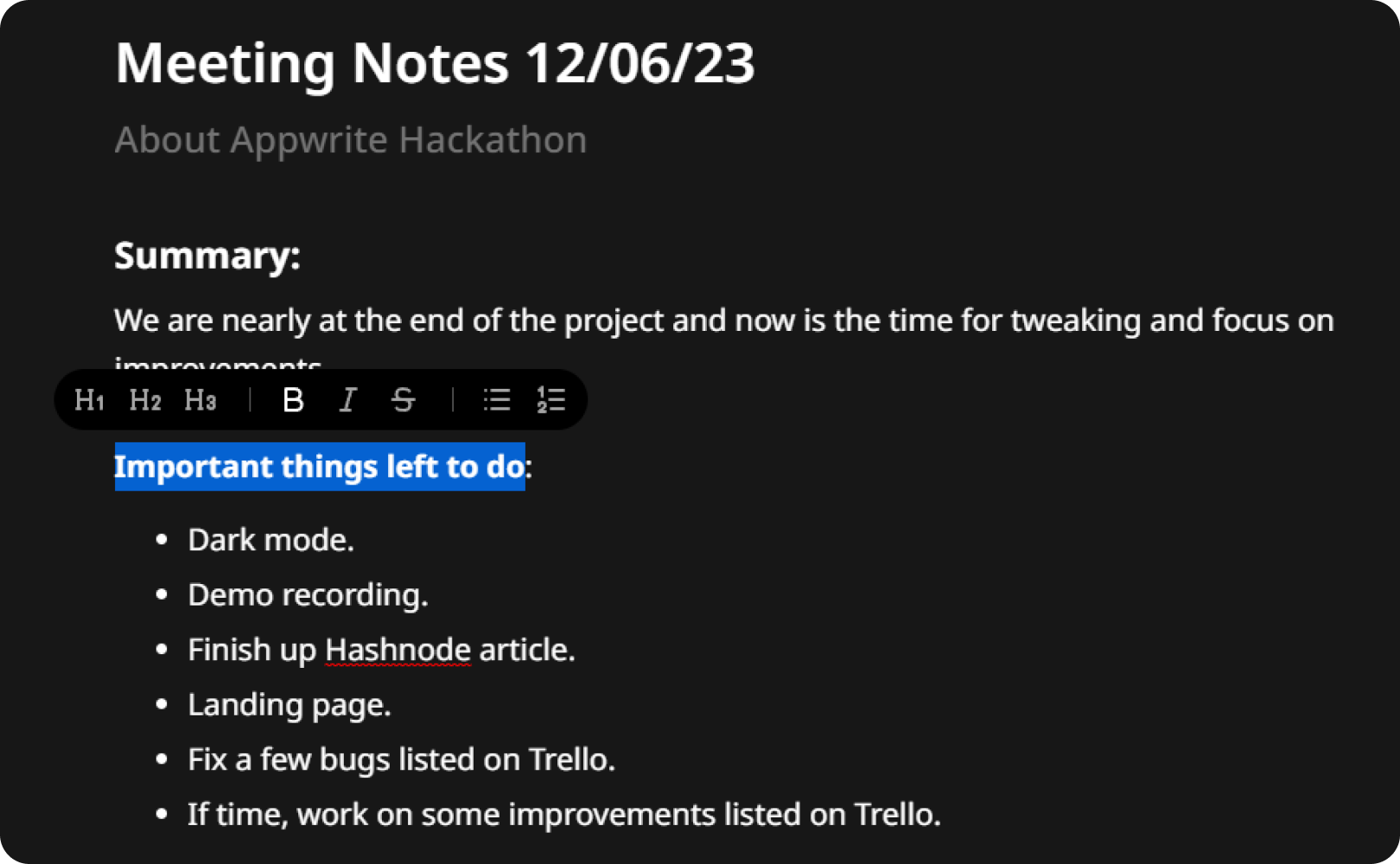
A rich-text editor with floating and bubble menus to enhance notes with features such as image upload(uses Appwrite Storage), bold, italic, strikethrough, numbered lists, bullet lists, etc. We plan to add more useful features in the future.
To-do List
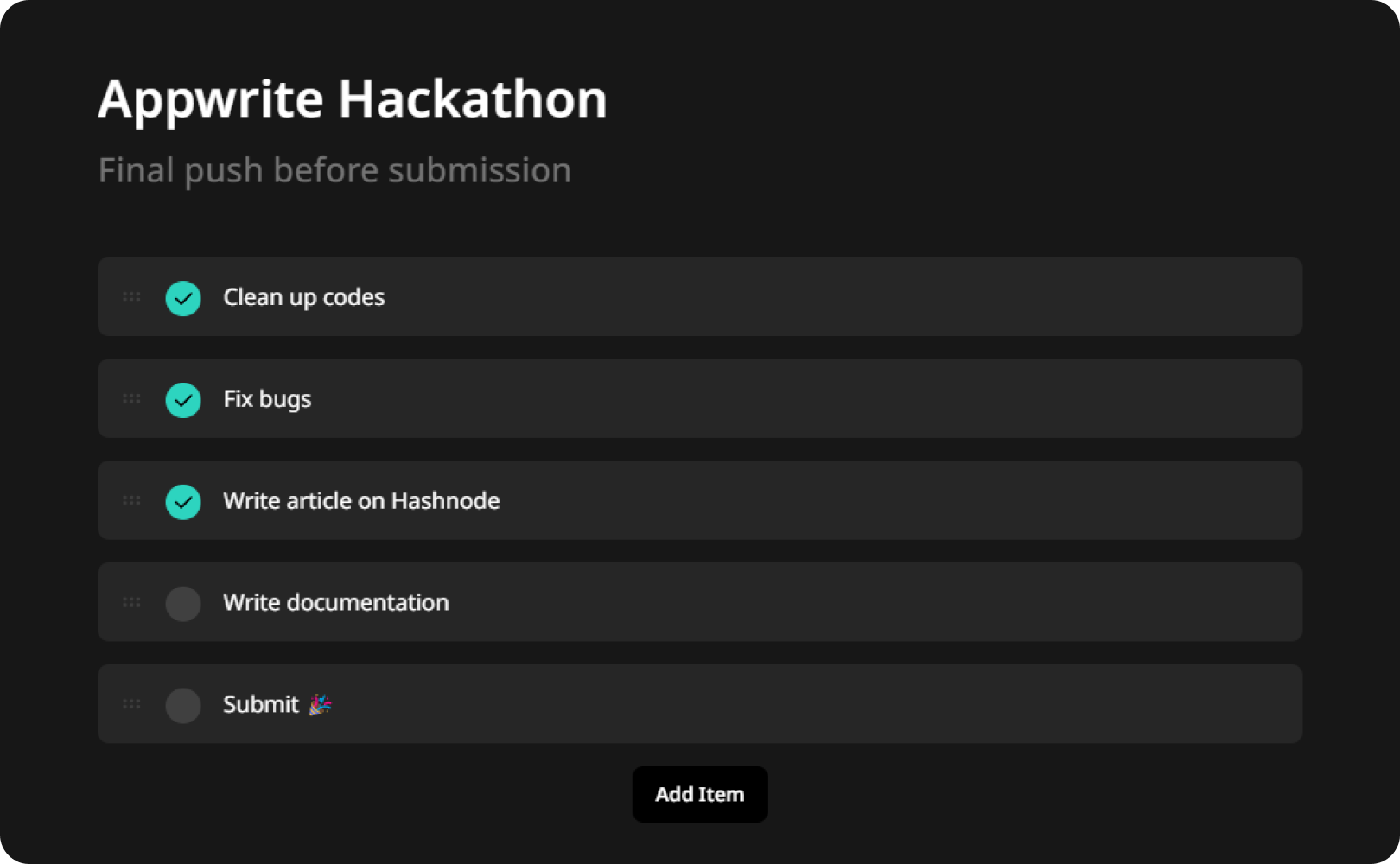
A convenient draggable to-do list to create, manage and prioritize tasks.
Live Collab (experimental)
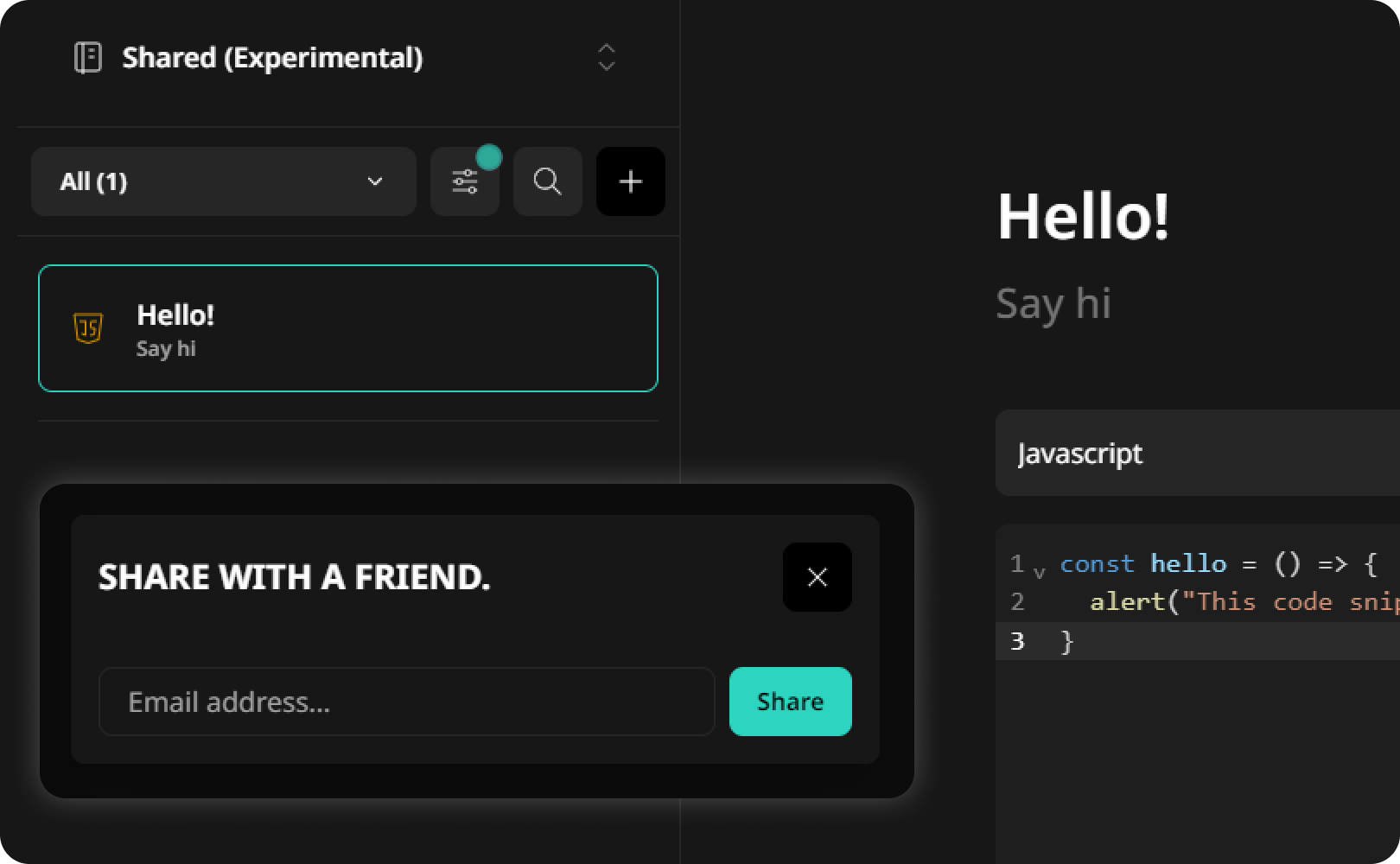
Code snippets and notes can be shared with your team members with live collaboration features made by Shahil Algoo in the last few hours before the deadline. He leveraged Appwrite Realtime & Functions to create the feature.
Organization
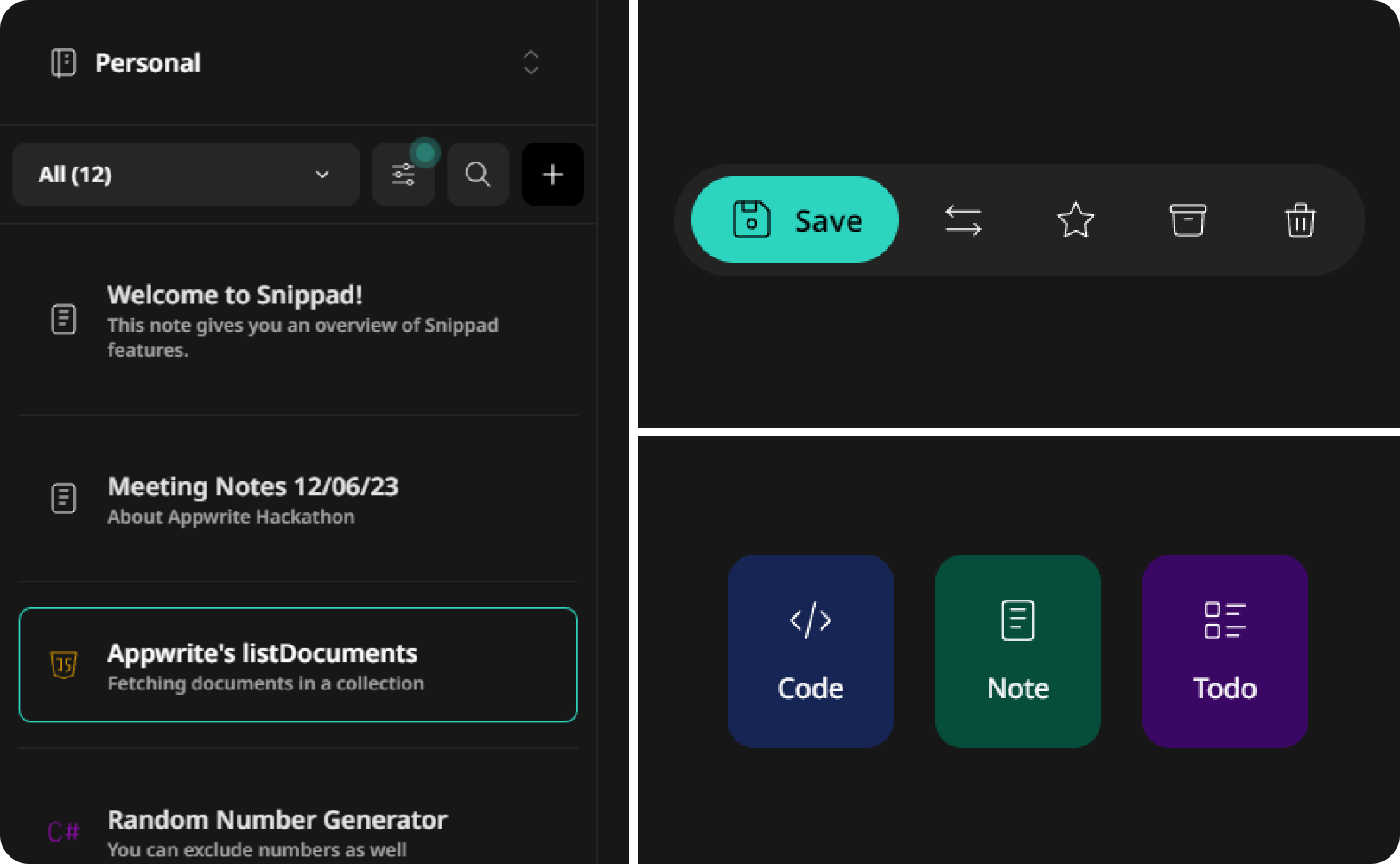
The sidebar and action bar provides flexibility in managing codes, notes, and to-dos. You can easily star your creations, move things between notebooks, archive, trash and recover.
Search
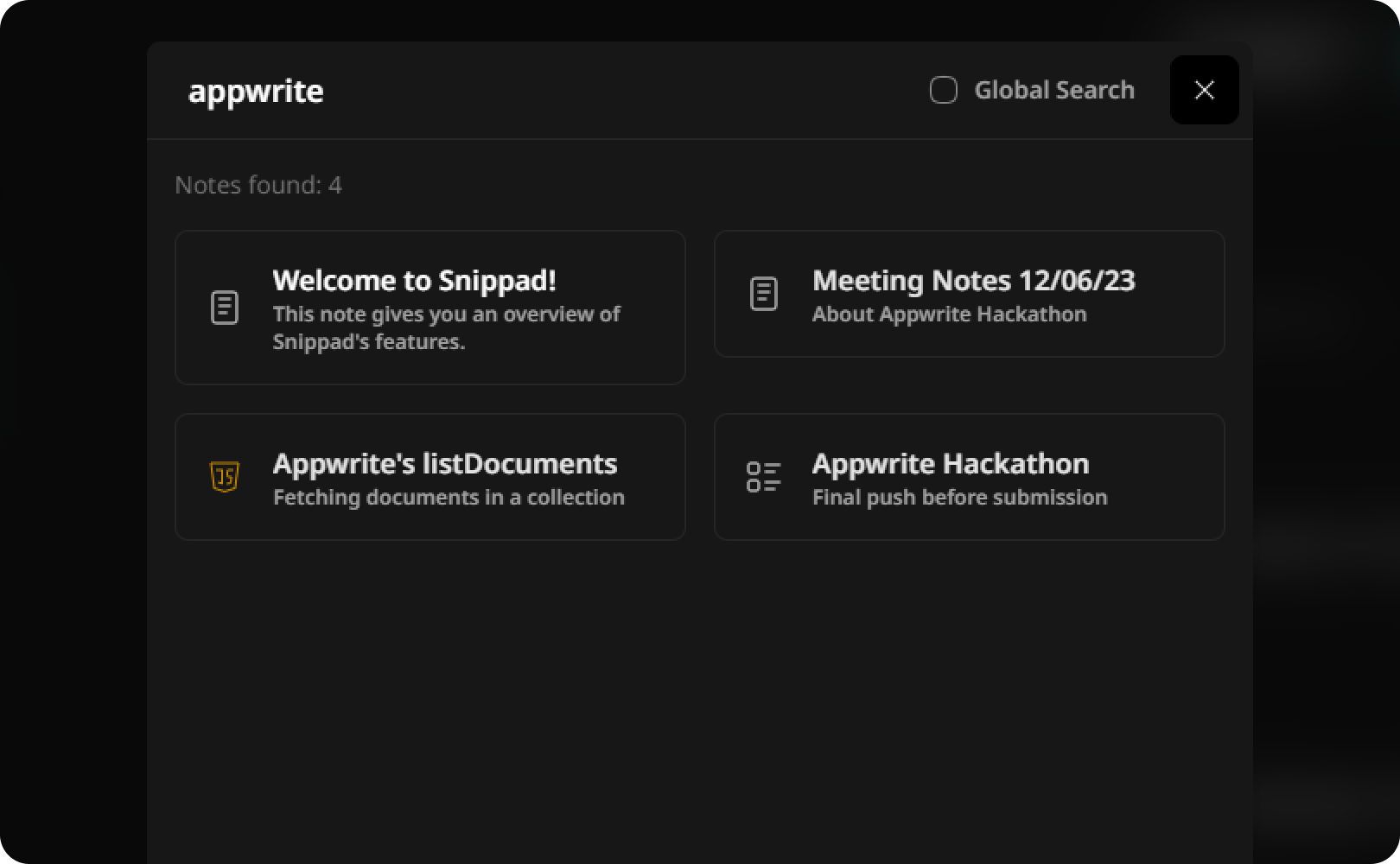
The search modal(made from scratch) enables quick and accurate retrievals so that your code snippets and notes are always at your fingertips.
Notebooks
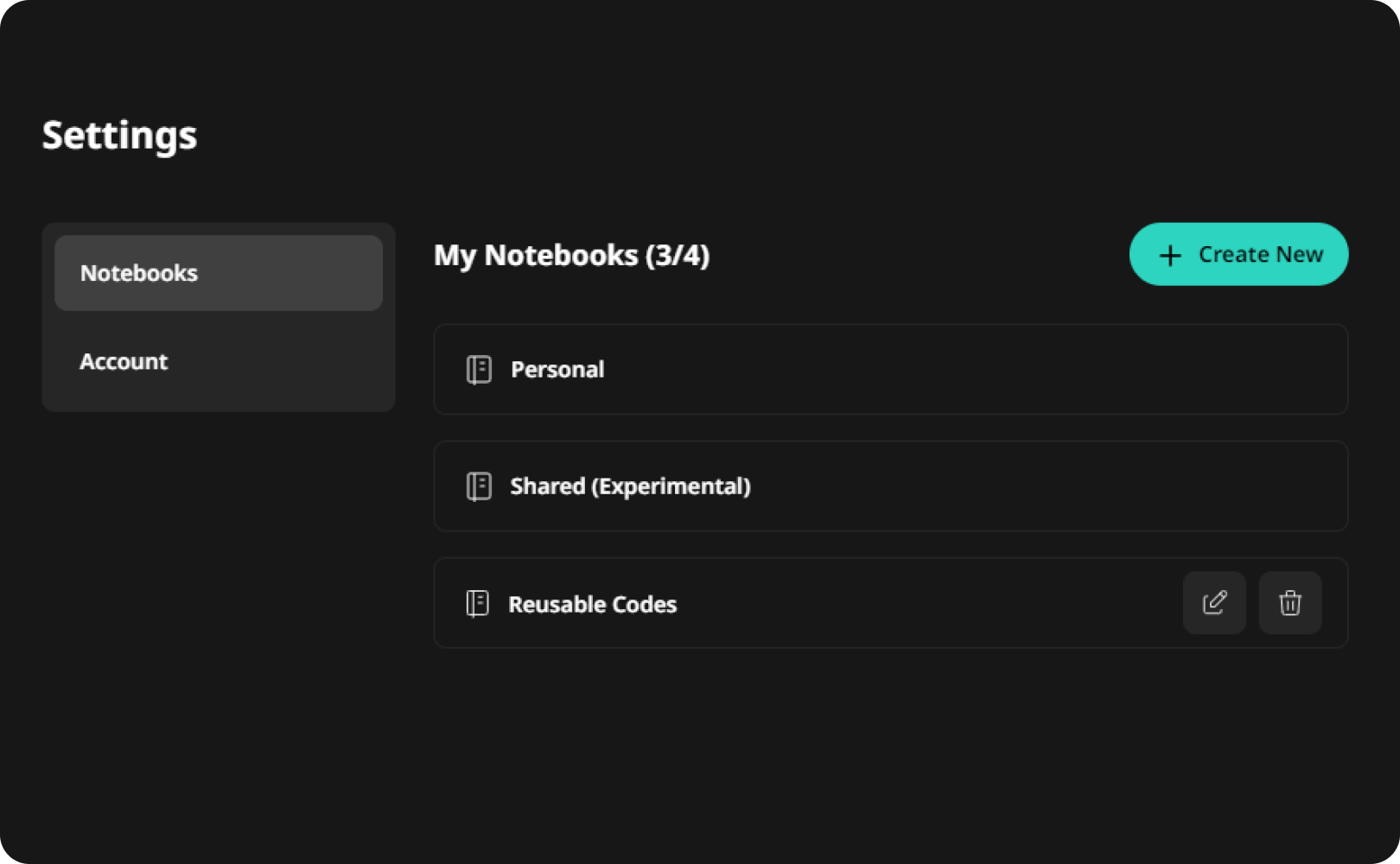
Manage code snippets, notes, and to-dos in notebooks. You can create, rename and delete notebooks.
Trashing, Recovering or Permanently Deleting
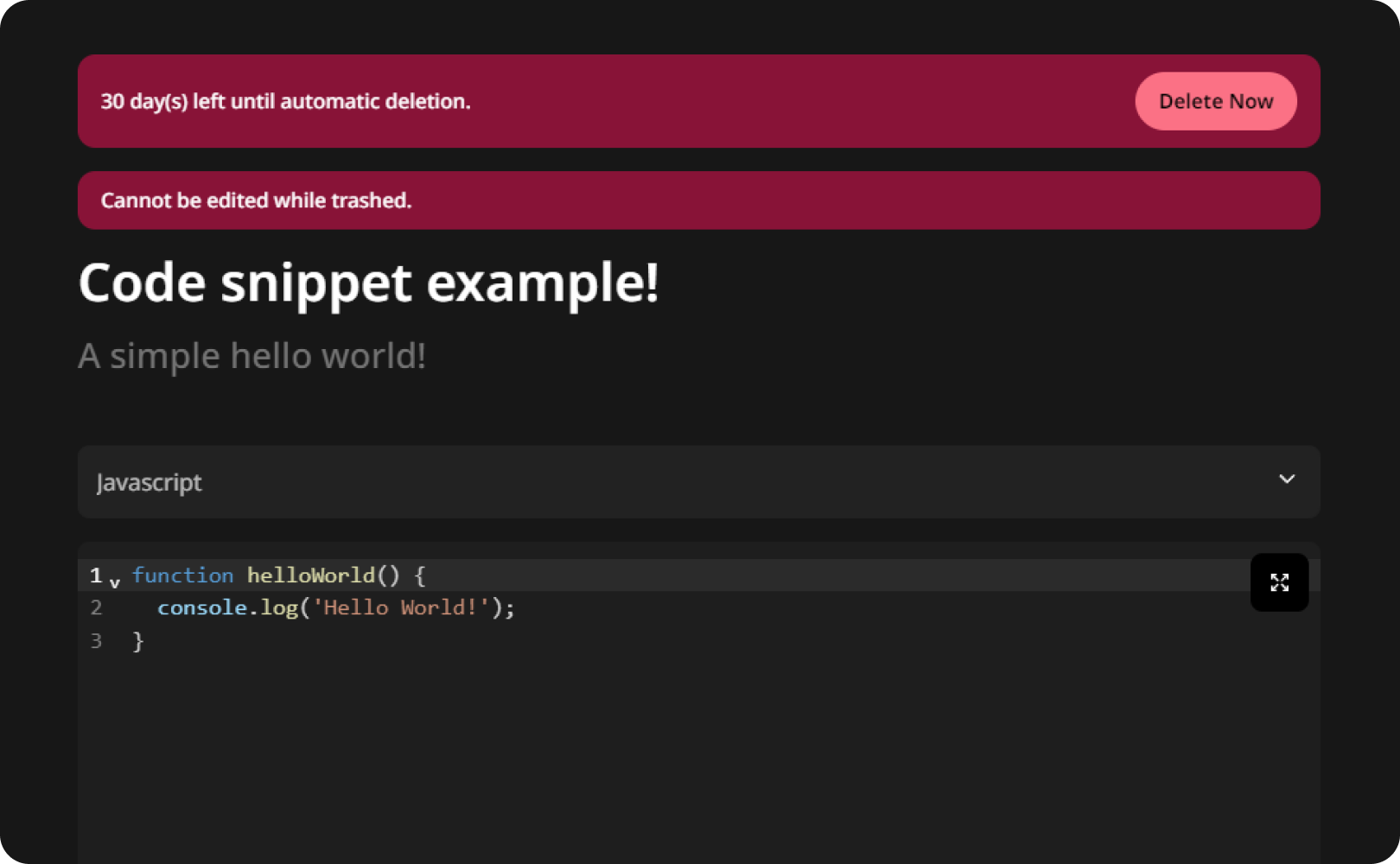
Send code snippets and notes to the trash. Once there, you have 30 days to recover them. After that, they are automatically and permanently deleted. Using Appwrite Functions, a cleanup function runs once every day, looks for trashed anything exceeding the limit and deletes them.
Optimistic Updates
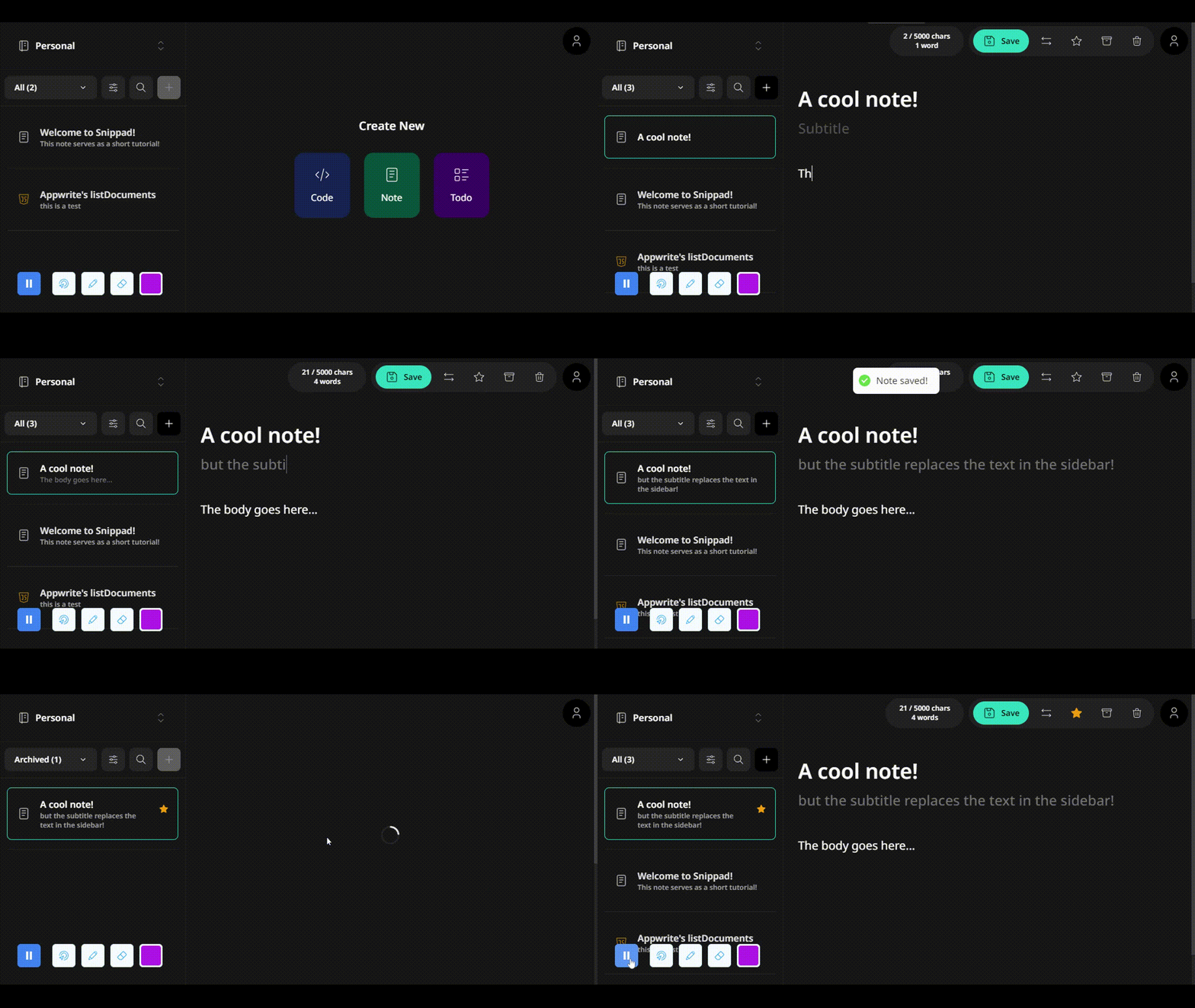
Using Appwrite Realtime and some react magic, all changes made to collections and notes get seamlessly refreshed and hydrated. No stale data is ever displayed. For example: once a note is saved, its content will be updated in the sidebar view immediately.
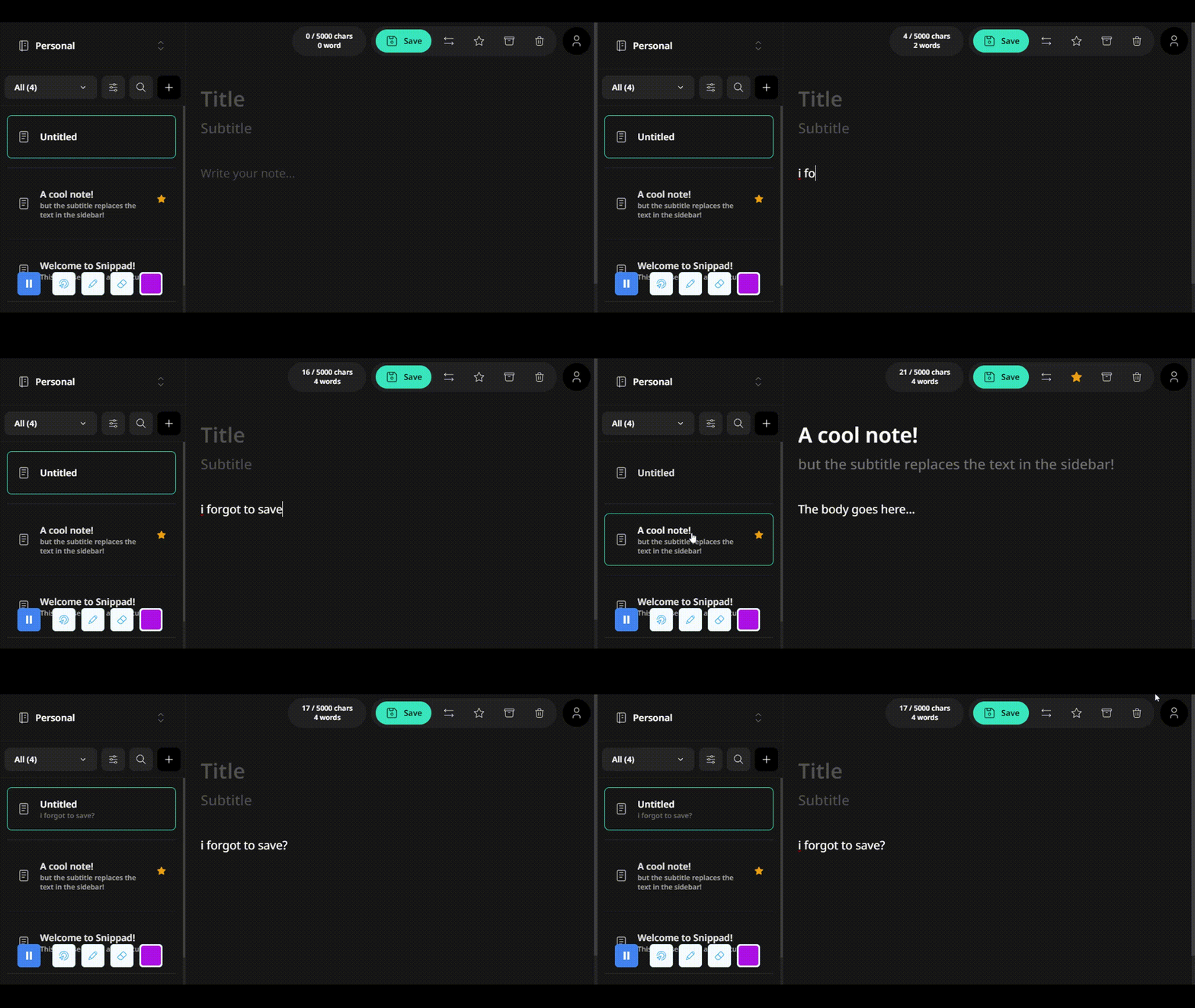
Auto-saving & Warnings
If you exit a note while still on the app, it will automatically be saved. If you refresh or close the tab/browser, you will be prompted with a warning if there are unsaved changes. You can also save with CTRL+S. We also save your last active collection and load it back when you return.
Authentication Flow
We used Appwrite Authentication to provide a complete authentication experience. You can sign up using multiple ways: Github, Discord, email/password or passwordless. With Appwrite’s built-in security features combined with authentication, we used permissions and policies to ensure only you can access your data.
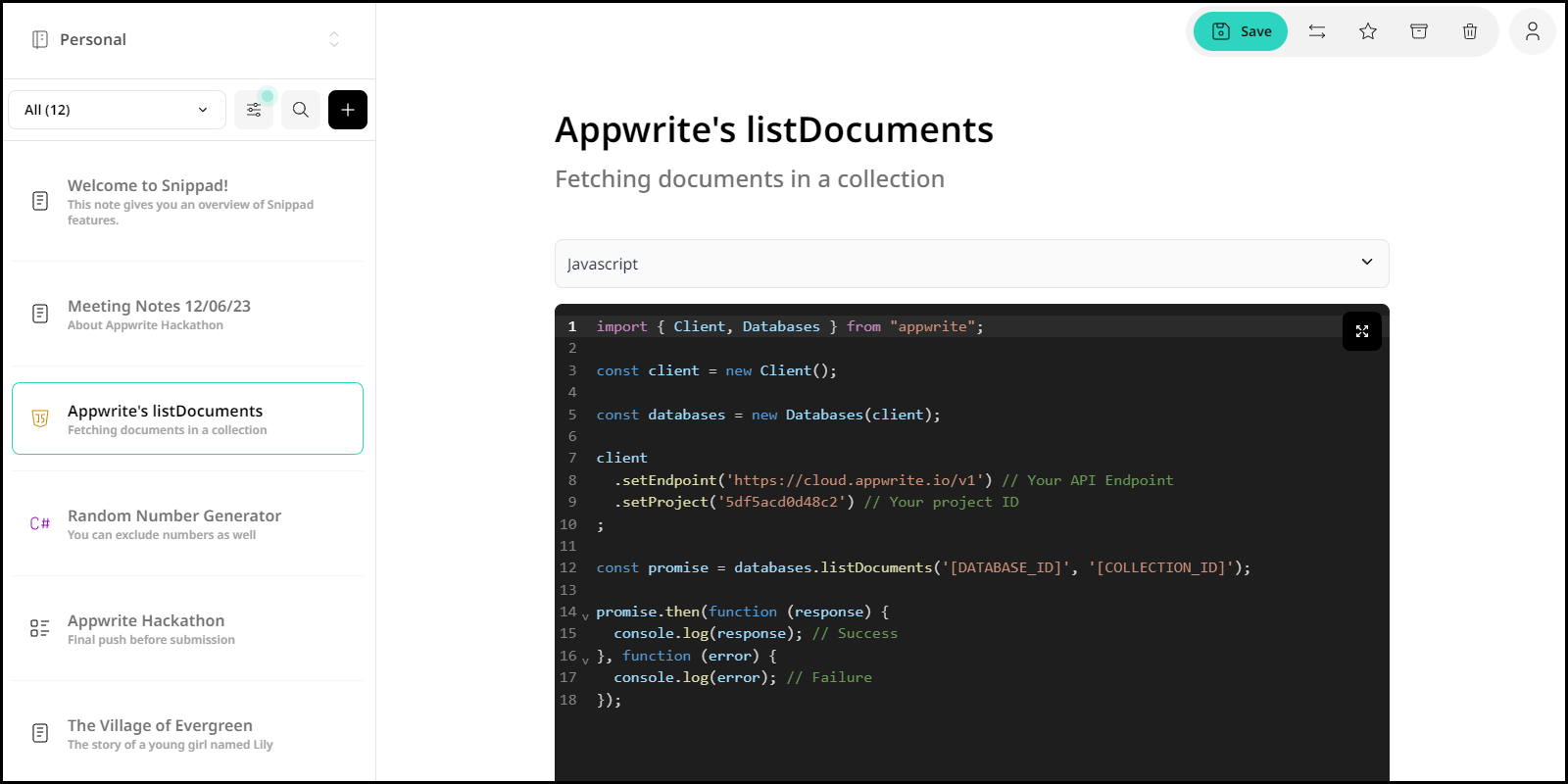
Neat UI With Light/Dark Mode
With Snippad's Neat UI and versatile light/dark mode options, coding has never been more visually pleasing and comfortable.
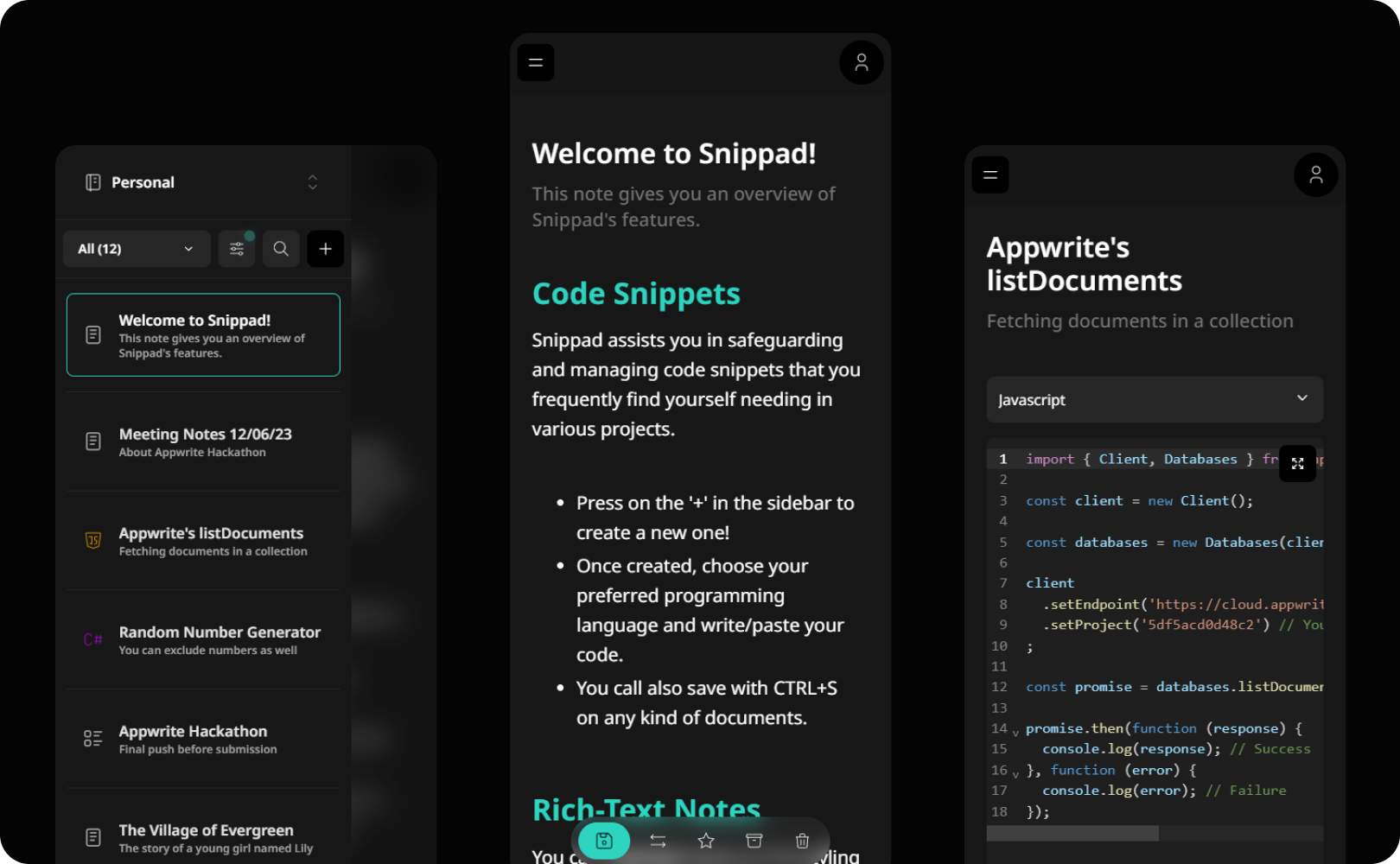
Mobile-friendly
Snippad was designed with desktop users in mind, but my years of working with front-ends taught me to take a mobile-first approach when designing modern applications to provide greater support for all sorts of users.
The Challenges We Faced
The biggest challenge was time. The hackathon started on May 15th but we only found out at the end of May. So we had around 2 weeks to complete the project. We had to work day and night to make sure we met the submission deadlines.

Another challenge was that Shahil is primarily a game programmer and Snippad is his very first web development project. So, I was teaching him at the same time. Luckily due to his background in programming, he adapted swiftly and was able to hold his own and significantly contribute to the project. We always start everything on hard mode 😬.
We did encounter some hurdles that developers typically face. Some minor things were not clear in the Appwrite documentation, the new version of Next.js works differently(first time using app router), and some limitations here and there.
Improvements we plan to make
Add more features to the code/text editors and improve our own todo-editor.
Improve search functionality and more filtering options.
Add team notebooks/collections and improve our experimental real-time collab feature.
Add new types of 'notes', like drawing for example.
Add support for offline mode(debatable).
Make a desktop application & mobile app, open-source of course.
Possibly a SASS/Cloud version if there is enough interest for it. But it will always stay open-source.
To Conclude
Our goal with this project was to make something we can proudly present in our portfolio. We did not just want to create a cool-looking tool, we made sure to create a complete and useful product that we will use in our daily lives.
One of the key aspects of this Hackathon being open-source, we believe we can continue maintaining Snippad and provide more features with time. Another goal was to truly make Appwrite shine and we think it was a success. We managed to use all of its major features. Appwrite is amazingly fast, easy to integrate with and has great features. We will use it in other projects and we hope you have a fun time checking out Snippad!